Full Auto Mode
Full Auto chains every individual FAFE tool into one unattended loop. Start it once and it races, buys, unlocks mastery, deletes, and repeats — until you press Stop.
What Full Auto does
Each FAFE tool already automates one task. Full Auto runs them back-to-back as a single farm: it banks mastery points by racing, buys the right number of cars, unlocks their mastery trees, deletes them, then loops — optionally branching into Auto Wheelspin first. Every hand-off between stages is detection-gated, so a stage only fires once its target screen is confirmed on-screen.
Three modes
Pick what each cycle should farm. All three share the same detection, car-count calculation, and chained workflow.
Wheelspin Mode
Turns mastery points into Super Wheelspins, then optionally connects Auto Wheelspin after deleting.
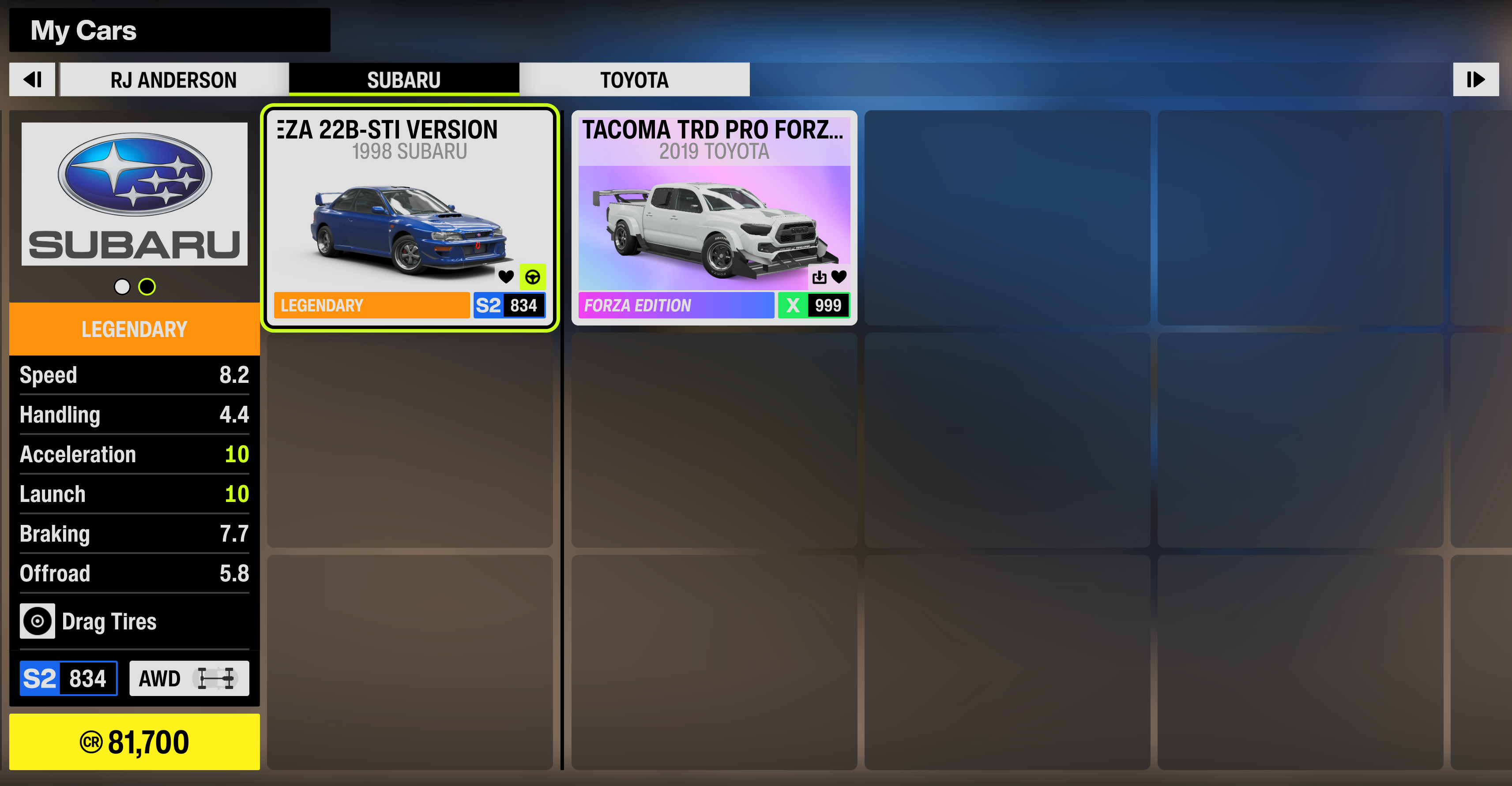
- ✓Buys the Subaru 22B-STI — or the #123 Mad Mike with the Car Pass DLC
- ✓Optionally connects Auto Wheelspin after deleting
Money Mode
Buys for credit nodes instead of wheelspin nodes, then loops straight back to racing.
- ✓Buys the Viper GTS ACR — about 88,000 credits profit per car
- ✓Deletes each car, then returns straight to the race loop
Mixed Mode
Alternates Money and Wheelspin cycles, so the credits earned in the Money loop bankroll the Wheelspin loop — the grind funds itself and stays self-sustaining.
- ✓Alternates each cycle, starting with a Money loop
- ✓Best when you're low on credits — turn off Own Car Pass DLC in Settings
Before you start
- ✓Full Auto unlocked. The Full Auto tab stays locked until your one-time unlock is activated.
- ✓Game on the selected monitor. Pick the screen Forza Horizon 6 is on from the Game Monitor picker.
- ✓Mastery points ready (optional). If you already have points, the buy stage reads your currently available mastery points to size the cycle.
Set it up and run
Open Full Auto
Select Full Auto at the top of the sidebar (marked PRO).
Choose your mode
Pick Wheelspin, Money, or Mixed — Wheelspin farms Super Wheelspins, Money farms credits, and Mixed alternates the two each cycle so the grind funds itself. For Wheelspin, set whether Auto Wheelspin connects after deleting.

Set races per cycle
Choose how many AFK Races run each loop before the buy stage. The car count is calculated automatically from your mastery points.

Run the pre-flight checklist
Confirm all of these before you start. The first two reset every session; the bottom two are a one-time setup.
- ✓I'm driving the car I want to grind with.
- ✓The map I want to AFK on is my last-played event.
- ✓Only one Subaru 22B-STI is marked as Favorite. (more than one breaks car selection)
- ✓The car you AFK with is a 22B-STI with a stock paint job. (a custom livery breaks car detection)
Press Start
Click Start or press F9. The loop runs unattended; the live log shows each stage. Press F9 again to stop.
You can start Full Auto from the game's main menu — or straight from Windows with the game closed; FAFE will launch the game for you.
Good to know
Budget for the grind
Make sure you can afford to keep looping. Cost and return per mode, all assuming you start each loop with 999 mastery points:
| Car · Mode | Cost | Per loop |
|---|---|---|
| Subaru 22B-STI Wheelspin | 2.24M CR | 33 Wheelspins |
| #123 Mad Mike Wheelspin · Car Pass DLC | 4.4M CR | 47 Wheelspins |
| Viper GTS ACR Money | 2.0M CR | +88,000 CR / car · ~5M CR after one loop |
New map or tune? Warm up first
On a new map or a new tune, the race-rating menu pops up after a few runs. Full Auto can't dismiss it yet and will get stuck — run a few loops of plain AFK Races first to clear it.
Leaving the PC? Keep the game in front
For the most reliable detection while you're away, leave Forza Horizon 6 in the foreground.
Auto-recovery on detection misses
If FAFE can't match a template, it runs its recovery routine to get back on track instead of stopping the automation. See troubleshooting tips →
Stuck on infinite loading? It relaunches
If the game hangs on an endless loading screen after selecting your last-played event — before the race-type menu appears — FAFE closes and relaunches it automatically to continue the loop.
Stay above 1080p / 60 FPS
Keep Forza Horizon 6 running at 1080p or higher and above 60 FPS. The lower either goes, the more likely FAFE misses a detection or a click.