
Auto Wheelspins
Run Super or normal Wheelspins, collect prizes, and handle duplicate-car prompts automatically.
Templates are built in
The Auto Wheelspins feature is detection-based, and the templates it needs ship built in — nothing to capture, works out of the box.
Pick the wheel type and go
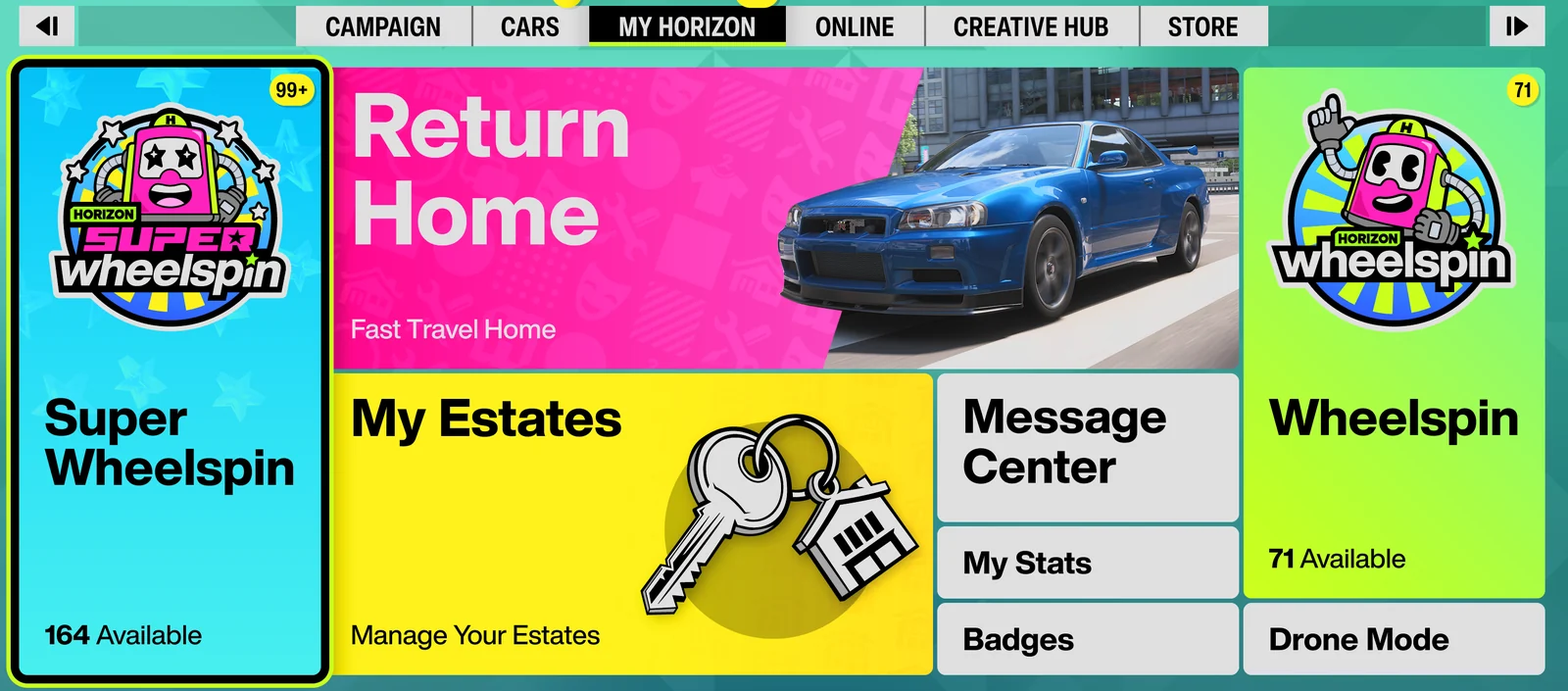
Choose Super Wheelspin (3 prizes at once) or normal Wheelspin (1 prize). In-game, open the My Horizon menu so the matching tile is visible. If you captured the My Horizon tab template, you can also start from the main menu — FAFE clicks the tab for you.
Set keep conditions
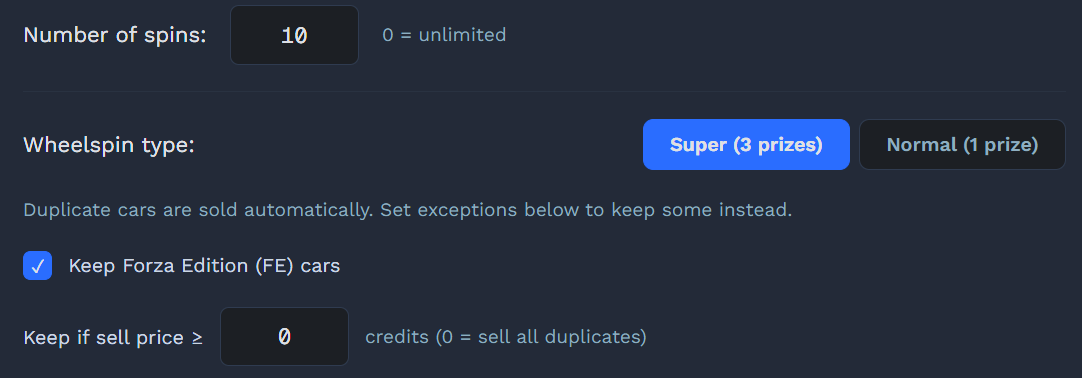
Duplicate cars are now sold automatically. Check "Keep Forza Edition (FE) cars" and/or set a "Keep if value ≥" credit threshold (0 = sell all) to hold onto the ones you want. ⚠ Double-check your threshold so you don't sell a car you meant to keep.
Pick wheel type, set the count and start
Use the buttons to choose Super (3 prizes) or Normal (1 prize), and set the number of spins (0 = unlimited, stop with F9). Open Auto Wheelspins in the sidebar, then click ▶ Start or press F9. The countdown is 3 seconds; with background mode enabled, you don't need to switch back to Forza.
Fully automatic
FAFE clicks the chosen Wheelspin tile to start, then every spin auto-continues: detect the prompt → (optional) skip → Enter collects the prize (all 3 at once for a Super Wheelspin) → handle 0–3 duplicate cars. FAFE never presses to spin itself.
Stop
Press F9 or click ■ Stop anytime. With a set count, the final spin collects with Esc and ends back on the My Horizon menu.