Auto Buy Cars in Batch
Repeatedly purchase any car that is available to buy. Choose the automatic 22B-STI preset or manually open the car you want first.
Open Buy Cars
Click Buy Cars in the FAFE sidebar.
Choose how to position the car
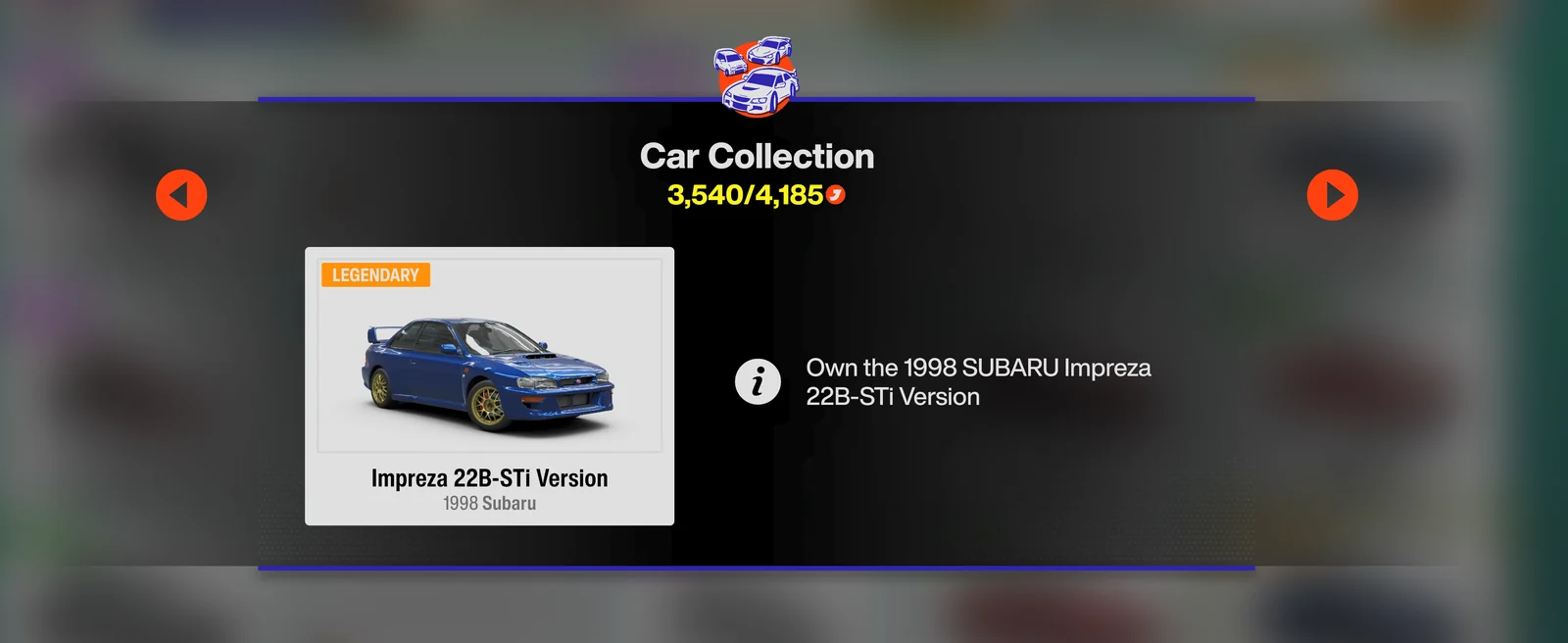
Main-menu preset (22B-STI only): leave Forza on the main menu. FAFE automatically navigates through Collection Journal → Discover Japan / Master Explorer → Car Collection → Subaru, opens the 22B-STI, and returns to the main menu when finished.
Manual positioning (any purchasable car): open Collection Journal → Car Collection yourself, select the car you want to buy, click it, and leave the game on its detail/purchase screen. FAFE repeats the purchase sequence for that car.
Choose the batch size and start
Set how many cars to buy (0 = unlimited), then click ▶ Start or press F9. The countdown is 3 seconds; with background mode enabled, you don't need to switch back to Forza.
Let FAFE repeat the purchase
FAFE presses Space → Down → Enter → Enter → Enter, with 0.5 seconds between inputs by default, then repeats until the batch is complete. You can adjust the interval in Settings.
Stop
Press F9 or click ■ Stop at any time to stop cleanly.